
6E Club Register Guide
Most sign-up problems come from a handful of small mistakes. Here is how to avoid them.
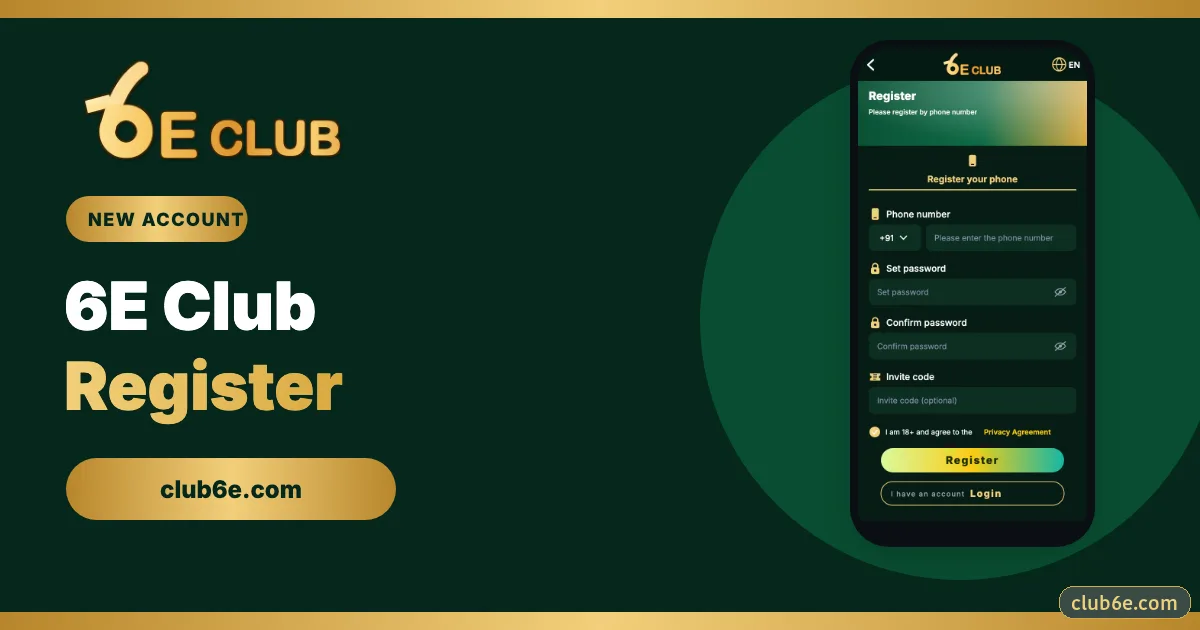
Here is the sign-up screen field by field.
6E CLUB SIGN-UP

6E Club register screen
Phone, password, confirm, invite code, 18+ tick.
The Fields
| Field | What to enter | Tip |
|---|---|---|
| Phone number | Ten digits after +91 | This becomes your login ID |
| Set password | 8+ characters | Not your name, birthday or 12345678 |
| Confirm password | Same again | Type it; pasting can add a space |
| Invite code | Optional | Only possible now, not later |
| Agreement | 18+ tick | Required |
Step by Step
- Open the official 6E Club app or site.
- Tap Register.
- Fill the fields above.
- Tap Register and type the SMS code.
- Your UID appears – note it somewhere.
Common Errors
“Phone number already registered”
You already have an account. Use login or the password reset.
“Passwords do not match”
A pasted trailing space. Retype both.
“Invalid invite code”
Typo in the code. Ask again or leave it blank.
No SMS
Wrong SIM slot active on a dual-SIM phone.
Straight After Registering
- Bind a backup email.
- Turn on login alerts.
- Set a withdrawal password.
- Change the default nickname.
- Add your own bank account.
Frequently asked questions
Is registration free?
Yes.
Can I add an invite code later?
No.
How many accounts can I have?
One.