
6E Club Forgot Password – Every Fix That Works
Most password resets take a minute. When they do not, the cause is usually the SIM or SMS delivery.
Here is what to try, in order.
6E CLUB RESET
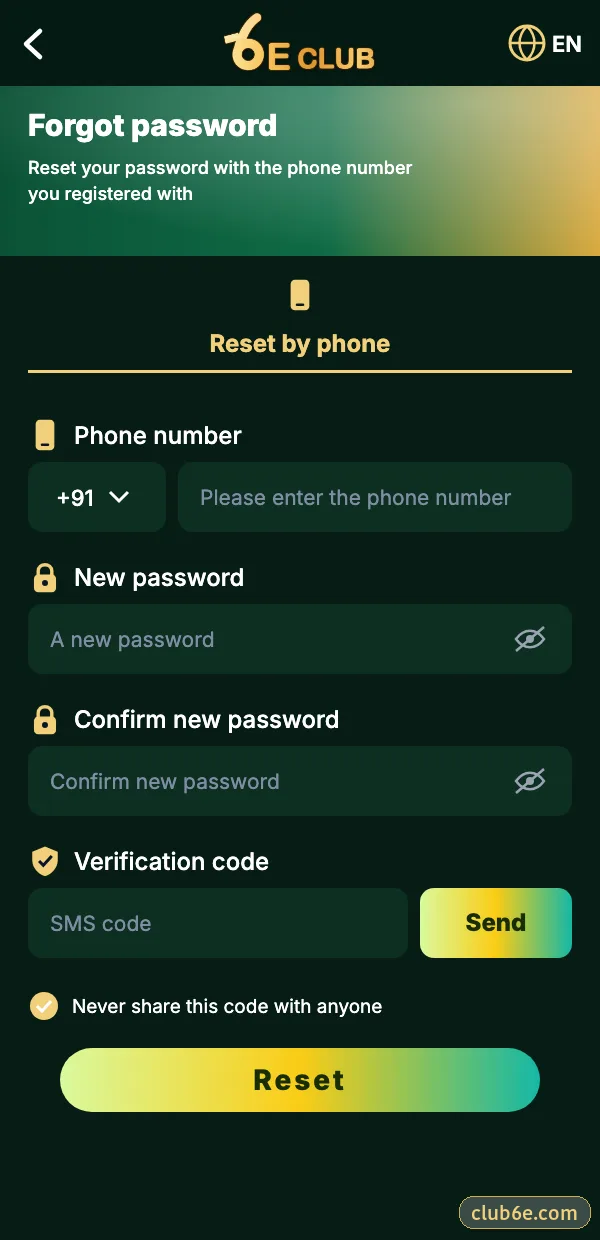
6E Club reset screen
Number, new password twice, SMS code.
The Normal Reset
- On the login screen, tap Forgot password.
- Enter your registered number.
- Type a new password twice.
- Enter the SMS code and confirm.
When the SMS Never Arrives
Wrong SIM active
Dual-SIM phones sometimes listen on the other slot.
DND blocking
Transactional SMS can still be filtered – check your SMS spam.
Weak signal
Move, wait for the timer, request again.
Too many requests
Wait ten minutes; repeated taps can pause codes.
Lost or Changed SIM
Ask your operator for a replacement SIM with the same number – usually the fastest route. If the number is gone for good, contact 6E Club help center with your UID and whatever account details you remember.
Changing Your Password While Logged In
6E CLUB SETTINGS
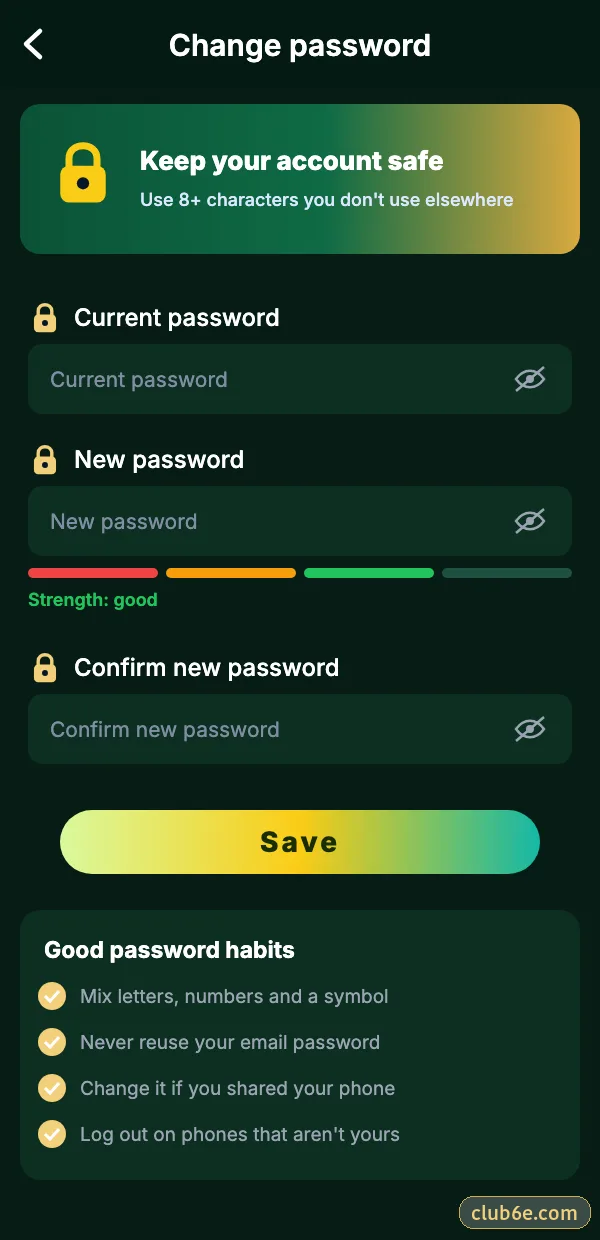
Change 6E Club password
Old password, new password, confirm.
Account → Settings → Login password. Do this immediately if you ever typed your details on a page you were not sure about.
Locking Things Down Afterwards
- Log out of every other device.
- Change the withdrawal password too.
- Turn on login alerts.
- Bind a backup email so the next reset is easier.
Choosing a Password You’ll Remember
Three unrelated words and a number – something like “guava-ticket-river-31” – is easier to remember than a jumble and far harder to guess. Do not reuse the one from your email or UPI.
Frequently asked questions
Can support tell me my old password?
No – nobody can see it.
How long is the reset code valid?
A few minutes.